

Capabilities
Auto-Reframing
Reframe for vertical and square formats.
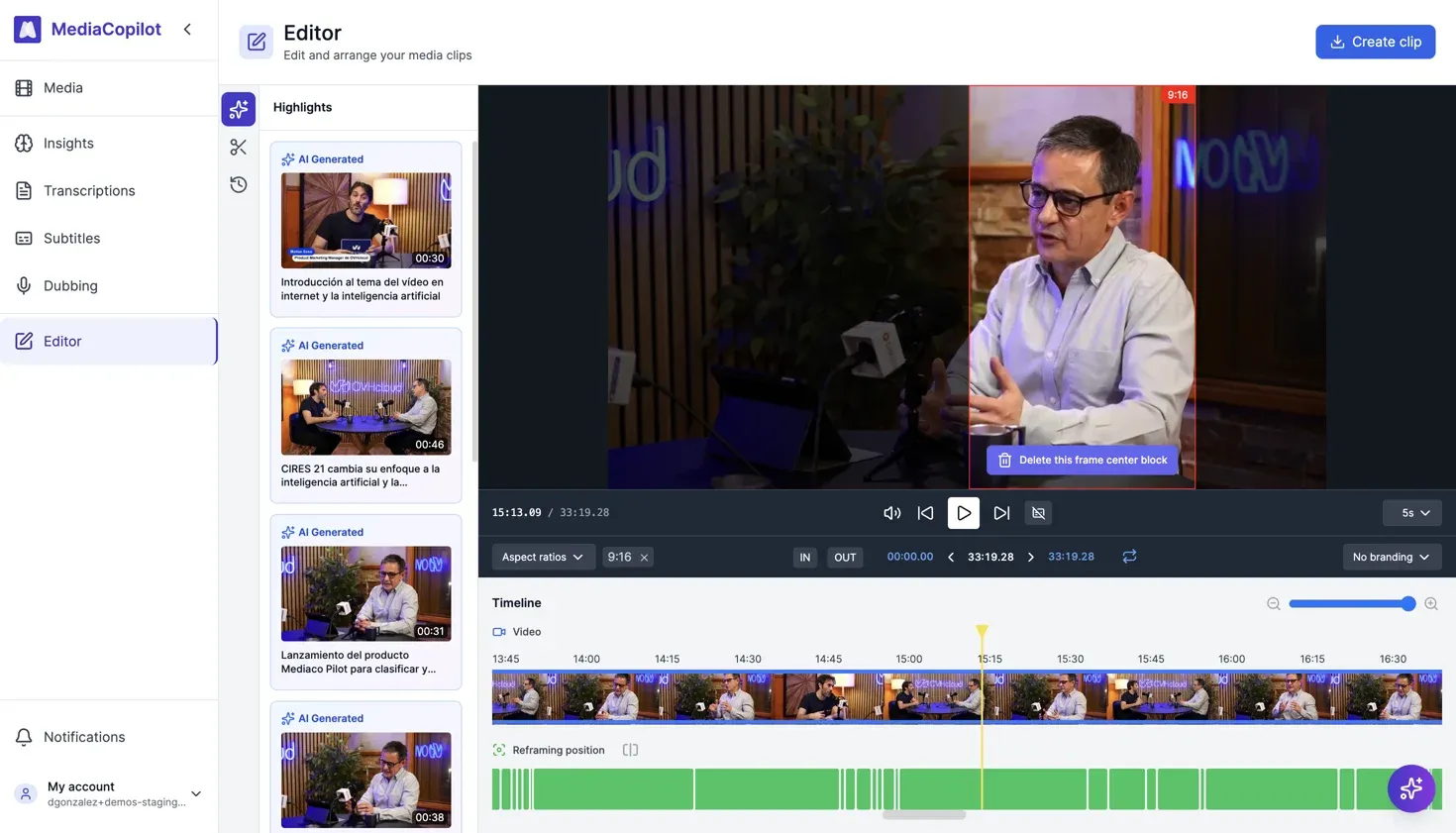
How it works
Select source video
Choose a horizontal video to reformat.
Choose target format
Select the aspect ratio: 9:16 (TikTok, Reels, Shorts), 1:1 (Instagram feed), or custom.
AI reframing
Visual content is analyzed frame-by-frame — tracking speakers, faces, and key objects for optimal cropping.
Review and export
Preview the reframed video, adjust if needed, and export.
Key features
- Subject tracking — follows speakers and key visual elements.
- Multi-format output — 9:16, 1:1, and custom aspect ratios.
- Scene-aware — framing based on content, not just center-crop.
- Centers of Interest — define points of interest within your assets to guide reframing decisions.
- Combined with clip generation — reframe and clip in a single workflow.
FAQ
Centers of Interest (COI) let you define specific points of interest within a video. The auto-reframing engine uses these points — along with face detection and scene analysis — to make smarter cropping decisions when converting to vertical or square formats.
Yes. After auto-reframing runs, you can preview the result and manually adjust the crop position for any frame before exporting.